Can Virtual Gate Guard Help Close Gaps in Your Gate Access Process?
Gate access problems do not always come from one major failure.
Sometimes, they develop from several smaller gaps in the process.
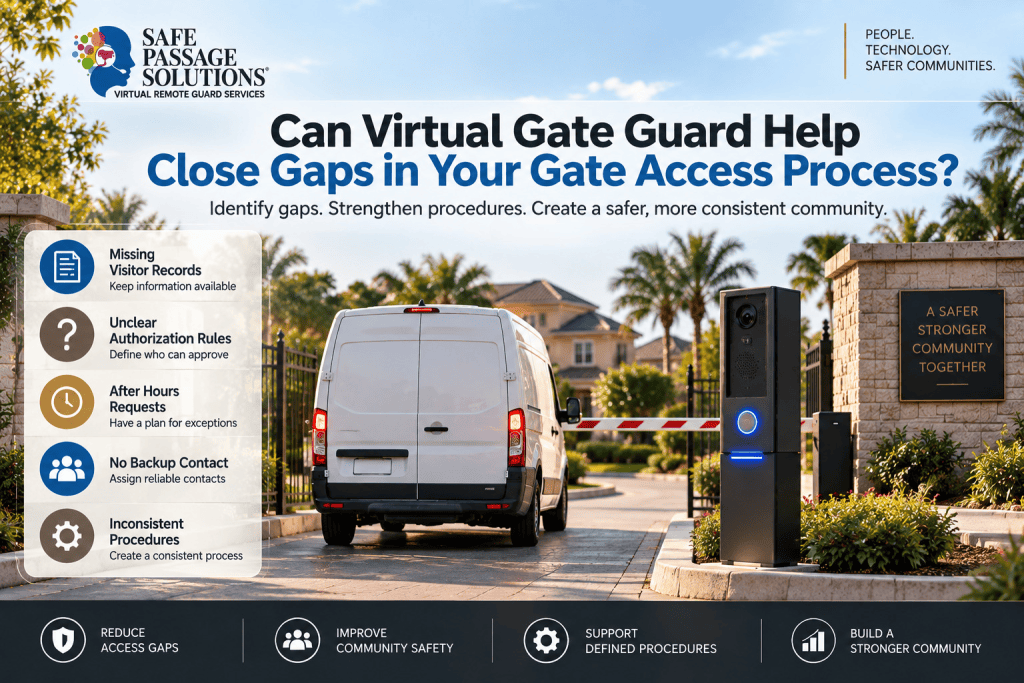
Visitor information may be missing. Authorization rules may be unclear. Backup contacts may not be defined. After hours requests may be handled differently from daytime arrivals.
These gaps can create uncertainty at the entrance.
This raises an important question:
Can Virtual Gate Guard help close gaps in your gate access process?
For gated communities, HOAs, apartment properties, and residential communities, the first step is identifying where information, communication, authorization, or escalation begins to break down.
Start by Finding the Access Gaps
A gate process may need review if it regularly experiences:
Missing visitor records
Different responses to similar requests
Unclear authorization rules
Frequent calls to property managers
Vendors arriving outside expected times
No backup authorization contact
Different procedures after hours
No clear escalation path
Before adding technology, the community should understand where these problems are occurring.
ASIS International describes access control as a combination of technology, policies, and procedures.
That distinction matters.
Adding another device may not solve a problem caused by missing information or unclear rules.
Virtual Gate Guard Can Support a More Consistent Process
Virtual Gate Guard can provide live remote communication while following the property's established procedures.
Depending on the setup, Safe Passage Solutions remote attendants may:
Communicate with visitors
Review available records
Follow approved instructions
Contact authorized parties
Apply defined exception procedures
Escalate unresolved requests
Virtual Gate Guard does not create the community's access rules.
The property defines the authorization and escalation procedures. The remote attendant follows those approved instructions.
Make the Right Information Available at the Gate
One common access gap is missing or inaccessible visitor information.
Visitor Management can help organize expected arrivals so useful details are available when needed.
That information may include:
Visitor name
Destination
Expected arrival time
Vendor company
Service purpose
Authorized contact
Vehicle information
Approved instructions
The goal is not simply to collect more information.
It is to make sure the right information is available when the request occurs.
The National Institute of Standards and Technology also addresses maintaining and reviewing physical access authorization information.
Although NIST guidance is written for organizational facilities, the broader principle is useful: current authorization information should be documented and available when an access decision is needed.
Do Not Confuse Recognition With Authorization
Another gap can occur when familiarity replaces current authorization.
A recurring contractor may be recognized at the gate.
However, the property may still need to confirm:
Is the contractor expected today?
Is the service request active?
Is the destination correct?
Is the arrival within the approved period?
Is this the expected technician?
Past access does not automatically establish current authorization.
That is why visitor recognition should provide context, not replace the property's approval process.
Plan for Exceptions Before They Happen
Normal access requests may be straightforward.
The difficulty often comes when something changes.
For example:
Another technician arrives
A visitor is late
The vehicle has changed
A resident does not respond
Information is incomplete
No matching record exists
The community should define what happens next.
A stronger exception process may identify:
What information requires additional review
Who can approve a changed request
Who serves as a backup contact
When additional verification is needed
When the request should be escalated
This helps prevent unusual situations from being handled differently each time.
The Cybersecurity and Infrastructure Security Agency also emphasizes documented procedures for visitor access and verification.
The broader lesson is useful for residential communities: exceptions should follow a defined process rather than an improvised decision.
Keep After Hours Access Connected to the Same Process
A community may have clear daytime procedures but rely on informal decisions after the management office closes.
That creates another possible gap.
Core requirements should remain clear after hours, including:
Who can authorize selected requests
What information should be available
Who serves as a backup contact
What requires additional review
When escalation is necessary
Virtual Gate Guard can provide continued live communication, but the underlying rules still need to come from the property.
The goal is one connected access process, not separate daytime and nighttime systems.
Give Each Access Tool a Clear Role
Different technologies can support different parts of the process.
Access Need | Supporting Tool or Process |
|---|---|
Live visitor communication | Virtual Gate Guard |
Expected visitor information | Visitor Management |
Vehicle context | License Plate Recognition |
Routine credentialed access | RFID Access Control |
Changed information | Verification procedure |
Unresolved request | Escalation process |
The goal is not to add more technology for its own sake.
Each tool should solve a specific operational problem.
A property can have several systems and still experience gaps if those systems do not support the same workflow.
Reduce Dependence on One Person
A gate process becomes more vulnerable to delays when every unusual request depends on one manager.
A stronger structure may identify:
A primary authorized contact
A secondary contact
What each person may approve
Which routine situations do not require escalation
What happens if no authorized contact is available
This can reduce dependence on individual staff members and make the process more predictable.
Make the Visitor Process Clear
Operational gaps can also confuse legitimate visitors.
A guest or vendor may arrive and find:
No clear way to request assistance
Conflicting instructions
Long waits while information is located
Several calls to residents or management
A connected gate process should make the next step clear.
That does not mean every request should be approved quickly.
It means the process should be organized and understandable.
Gate Access Gap Checklist
Question | What to Review |
|---|---|
Is visitor information available? | Expected arrival records |
Are procedures consistent? | Standard steps by visitor type |
Is live communication available? | Virtual Gate Guard when appropriate |
Is authorization clear? | Defined decision authority |
Are backup contacts established? | Secondary authorized contacts |
Are exceptions covered? | Verification procedures |
Are technologies coordinated? | Defined roles for each system |
Is escalation defined? | Clear next step for unresolved requests |
Frequently Asked Questions
What is a gate access gap?
A gate access gap is an unclear, missing, or inconsistent step in the access process.
Examples may include missing visitor information, unclear authorization, unavailable backup contacts, or no escalation procedure.
Can Virtual Gate Guard eliminate every access gap?
No.
Virtual Gate Guard can support live communication and more consistent handling. However, the property still needs clear authorization, verification, and escalation procedures.
Can Visitor Management help reduce access gaps?
Yes. Visitor Management can organize expected arrival information and give the access team a reference point when reviewing requests.
Why should after hours procedures connect to daytime procedures?
A connected process helps prevent access requirements from becoming unclear simply because onsite staffing has ended.
Does adding more technology automatically improve gate access?
No. Technology is most useful when information, procedures, authorization, and escalation work together.
Key Takeaways
Gate access gaps often come from missing information or unclear procedures.
Virtual Gate Guard can support more consistent visitor handling.
Visitor information should be available when it is needed.
Recognition should not replace current authorization.
Exception procedures should define what happens when a request changes.
Backup contacts can reduce dependence on individual staff members.
Each access technology should have a clear operational role.
Final Thoughts
Closing access gaps requires more than adding another device at the entrance.
Communities should identify where information, authorization, communication, and escalation become unclear.
Virtual Gate Guard can support a more structured gate process by providing live remote communication and following the community's established procedures.
For HOA boards and property managers, a useful review begins with three questions:
Where does our gate process become unclear?
What information or decision is missing?
What should happen next?
Safe Passage Solutions can help communities evaluate how Virtual Remote Guard, Visitor Management, License Plate Recognition, and RFID Access Control may support a more connected gate-access process.